
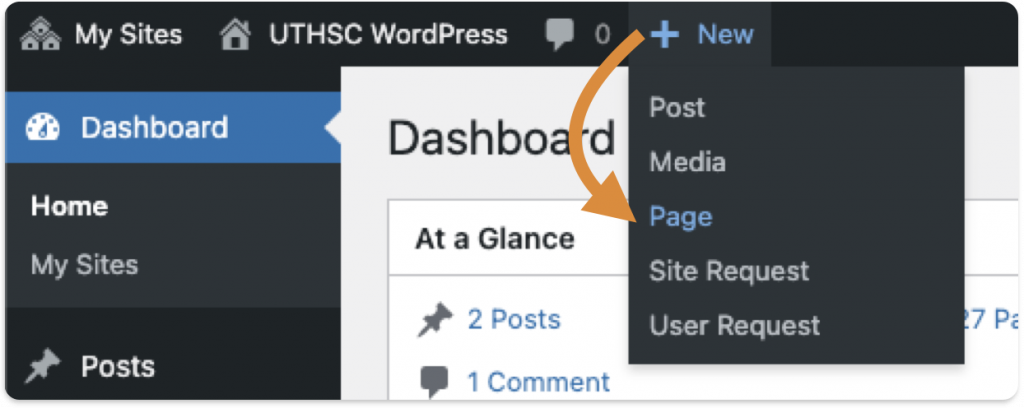
1. After logging into your site, hover over New in your Dashboard menu bar and select Page:
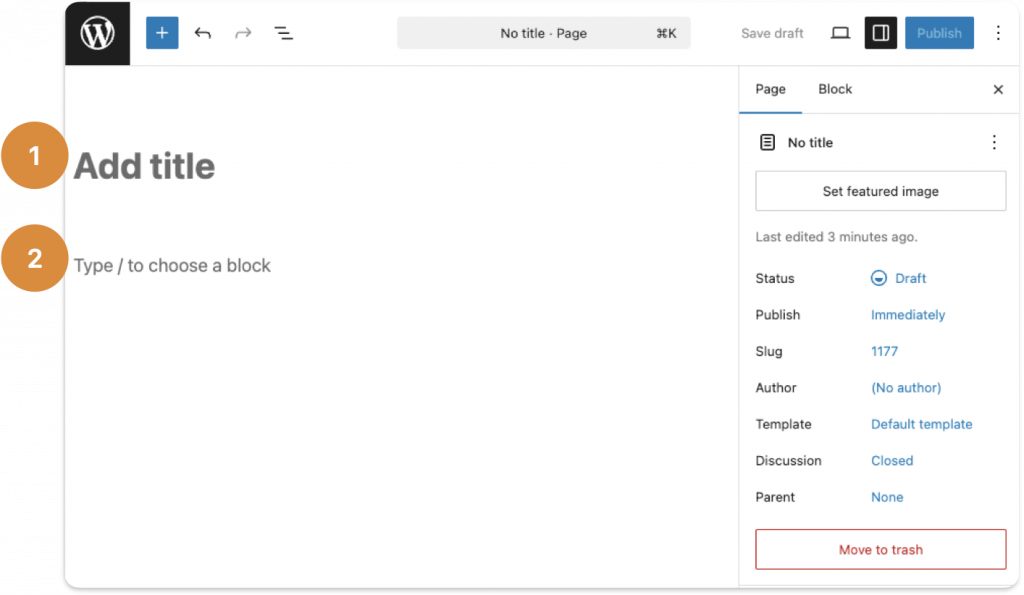
2. When the following screen appears, enter your page title and begin adding your new page’s content.
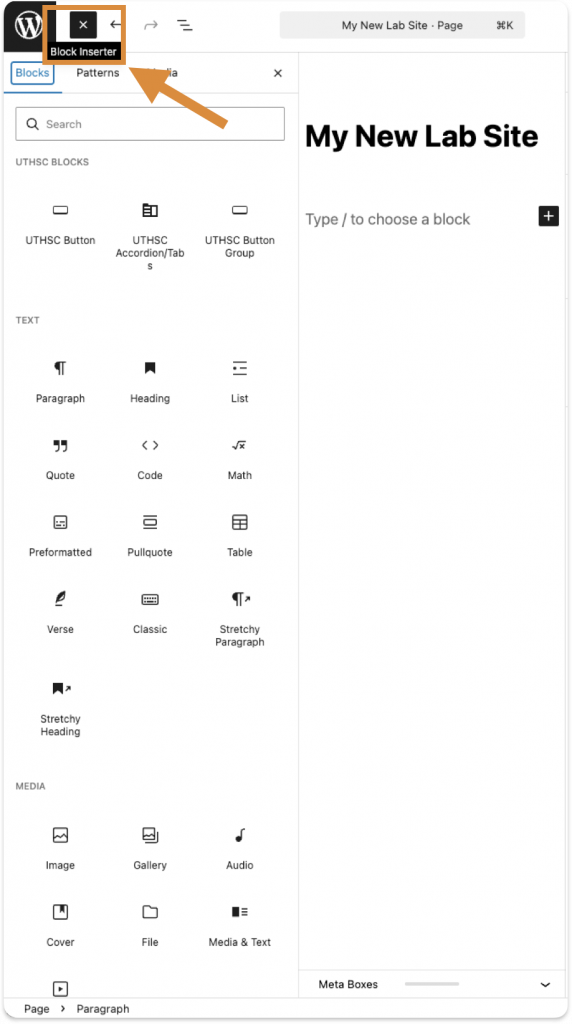
3. There are numerous ways to organize and display content on your page. Click the button beside the WordPress logo or type “/” to see what block would work best for you.
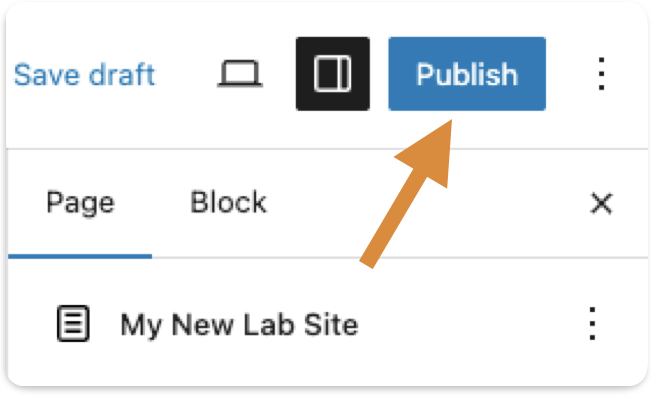
4. Once you are satisfied with the edits on your first page, select the blue “Publish” button, located at the top-right side of your page:
Additional Information
- After the initial publish, the blue button will change to display “Update.”